What is Google's AI-powered Business Profile messaging?
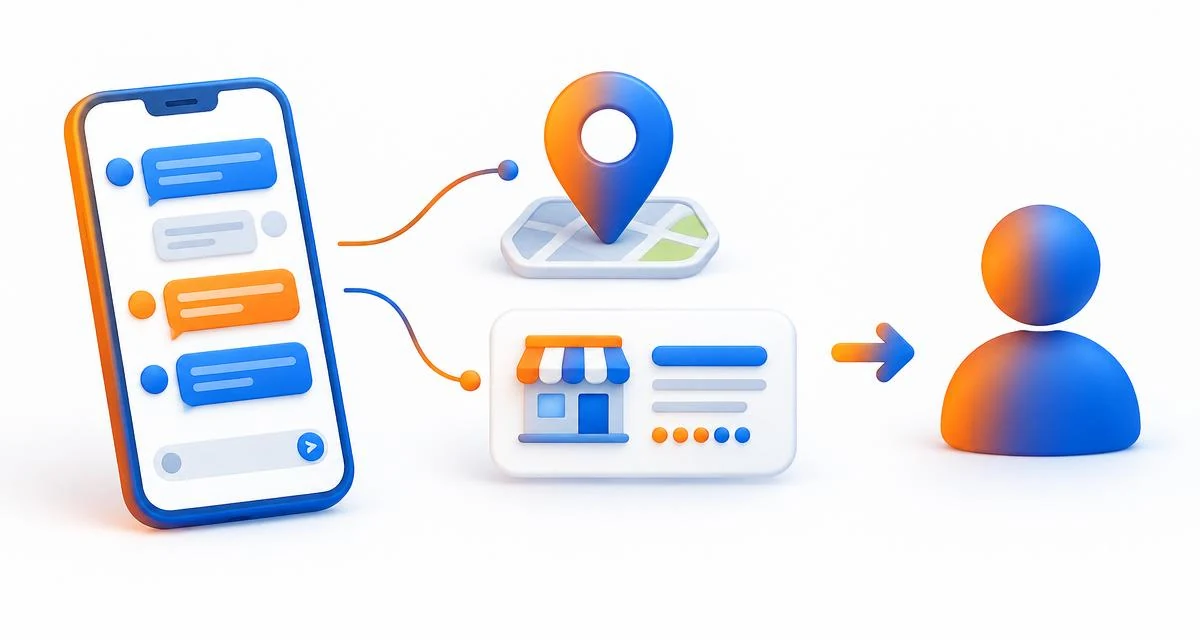
It is an AI agent that replies when a customer messages your business from your Google Business Profile on Search or Maps. Google's help page says the customer starts the chat from your profile and continues it in their phone's own Messages app, using RCS for Business, a newer form of business texting. The agent answers common questions such as "What are your hours?" and can help with bookings, while more complex requests come to you.
Search Engine Roundtable reported on October 29, 2026 that Google was inviting more businesses into the feature. The invitation email, shared by local search expert Mike Blumenthal, offered "early access to the AI-powered messaging pilot" on Search and Maps "at no cost." Treat it as a pilot, not a finished product.
Who can turn it on right now?
Only some businesses. Google's help page says the feature is currently available in France, Germany, the United Kingdom and the United States (on select mobile carriers) to businesses in the Restaurant, Beauty Services and Vehicle Services categories, and that it "may not be available for all businesses." Turning it on also requires an additional review to confirm your business.
One more limit was reported by practitioners rather than Google: Claudia Tomina, quoted by Search Engine Roundtable, said the agent only works for customers whose phones and networks support RCS, and other customers' texts go straight to your phone. If you are a dental practice, law firm or home service company, you probably cannot use this yet. The lesson below still applies to you, because more AI tools now answer questions about your business on your behalf.
Where does Google's AI agent get its answers?
From information you have already published. Google says core details such as business hours, address, phone number and listed services are pulled directly from your verified Business Profile, and that information is also referenced from verified website URLs. That makes an out-of-date profile a customer service problem, not just a search problem. If your holiday hours, prices or service list are wrong, the agent can repeat those mistakes to a real customer.
Two details from Google's help page are easy to miss:
- Name changes do not carry over automatically. If you update your business name on your profile, customers keep seeing the old name in their Messages app.
- Description and address updates are delayed. They sync to your messaging profile automatically, but not right away. Google offers a support contact if you need an immediate update.
When does the AI hand a conversation back to you?
In four situations, according to Google: the customer asks about a high-risk topic such as food allergies, health conditions or specialized service requirements; the request is complex, like a large group reservation or a custom quote; the agent cannot find the answer; or the customer asks to speak to a person. The agent tells the customer it is handing off, and you get a text, an email or both, naming the topic.
The timing rules are what owners should plan around:
- One hour during business hours. If a handed-off chat gets no reply from you within 1 hour during business hours, it goes back to the AI agent, which advises the customer to call your business.
- 24 hours after you reply. Once you answer, the agent stays paused in that conversation for 24 hours from the last message, then quietly takes over again.
- Handoff can be switched off. If you turn handoff off, the agent keeps helping but tells customers to call you whenever it cannot answer, hits a sensitive topic or is asked for a person.
In other words, every handoff is a warm lead waiting for a response. Our guide on how fast to respond to a new lead explains why that hour matters.
What should you check before you say yes?
Whether or not you have the invitation yet, these five checks reduce the chance of an AI giving a customer a wrong answer:
- Audit your profile and website first. Confirm hours, holiday hours, services, prices you are willing to publish and booking links. Make sure your website says the same thing as your profile. See why accurate business information matters online.
- Name who answers handoffs. Pick one person and a backup who can reply within the hour during business hours, and set the right mobile number for handoff texts.
- Decide what always goes to a person. Google already hands off allergies and health questions. Add your own, such as complaints, refunds or custom quotes. Our article on when AI customer service should hand off offers a framework.
- Use it for conversations, not campaigns. Google says this messaging is for one-to-one customer service. Promotional blasts and mass marketing texts are prohibited by carrier policies and can lead to policy strikes or suspension.
- Plan for closures. If your profile is marked temporarily closed, messaging stays active. Turn it off yourself if nobody will be answering.
How do you know whether it is working?
Check the Insights tab. Google says it shows total conversations, conversations the AI agent handled on its own, conversations handled by you, your average response time, and missed handoffs, meaning handoffs your team did not answer within the 1-hour limit. It also shows website and booking clicks inside the chat, the most common topics customers ask about, where on Google customers started the chat, and an estimated satisfaction score based on the tone of conversations.
Two cautions. Google's "time saved" figure is an estimate based on an assumed average conversation of 5 minutes, not a measurement of your staff's time. And the most useful number is often the topic list: repeated questions point to information missing from your profile or website. Review it weekly for the first month.
Does this matter if your business is not eligible?
Yes. Google is not the only company putting an AI between your business and your customers. OpenAI now lets businesses claim a profile and, for some, run a Business Agent inside ChatGPT. Read should you claim your business in ChatGPT for that side. Each of these tools answers from what it can find about you, so the same groundwork pays off everywhere: accurate listings, clear service pages, and a fast human response when the AI reaches its limit. If an AI is already describing you incorrectly, see what to do when AI gets your business wrong.
How DigitalOS can help
DigitalOS helps businesses get found, described accurately and chosen in AI search, and that now includes the AI agents that answer customers on your behalf. We can review what Google, ChatGPT and other assistants are likely to say about your hours, services and booking options, find the gaps between your profile and your website, and set up a handoff and follow-up process so warm leads do not go cold. Learn more about our AI Visibility & AEO work, or start with the DigitalOS AI diagnostic to see where your business stands.
Sources and limitations
Reviewed November 17, 2026. AI-powered messaging is a limited pilot; Google's eligible countries, categories and rules may change, and the help page is living documentation. The RCS device limit was reported by a practitioner, not stated by Google. This is general information, not legal or compliance advice. External findings are not DigitalOS experiments or guarantees.
- Google Business Home Help — "Get started with AI-enabled messaging on your Business Profile"
How the agent works and where it gets information; eligible countries and categories; handoff and resume rules; settings, compliance and Insights metrics.
- Search Engine Roundtable — "Google Business Profiles AI-Powered Messaging Expands" (October 29, 2026)
Wider pilot invitations, the "early access" email text and the reported RCS limitation.
- Google Messages Help — "RCS chats with businesses"
How RCS chats with businesses work for customers.
- OpenAI — "Introducing Businesses in ChatGPT" (November 10, 2026)
Business Hub claiming and Business Agents in ChatGPT.